Can students see their Turnitin AI score?
Who can see the AI writing report
No. Turnitin says its AI writing indicator and report are not visible to students, even when you can see your similarity score. Your instructor can download the AI report as a PDF and share it with you.
Who can see the Turnitin AI writing report
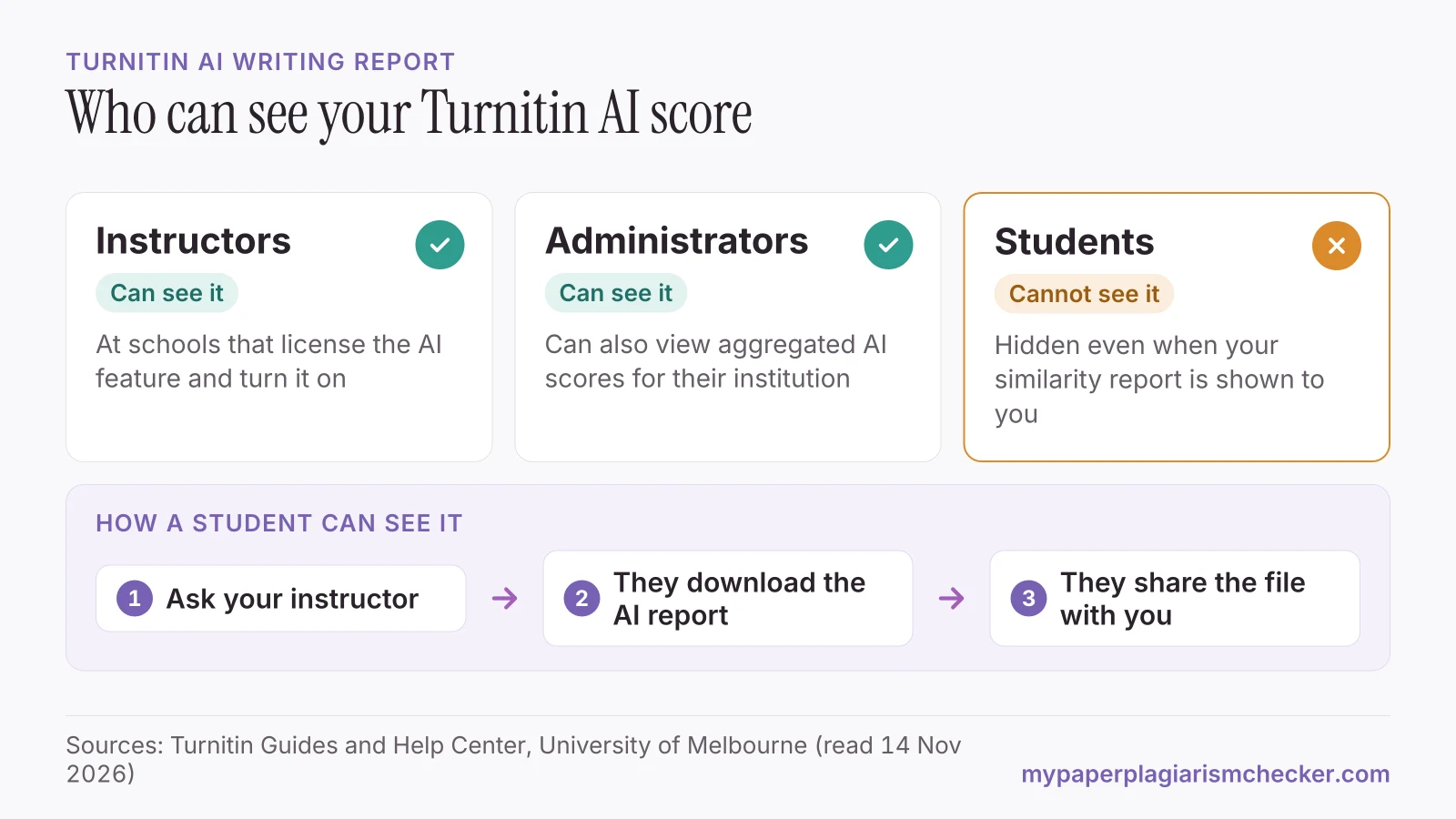
Instructors and administrators can see it. Students cannot.
| Who | Can see the AI score? | What Turnitin says |
|---|---|---|
| Instructors | Yes | If the school licenses Turnitin Originality and has the feature on. only instructors and administrators are able to see the indicator. |
| Administrators | Yes | They can also view aggregated AI scores for their institution. |
| Students | No | AI writing detection reports are not visible to students. |
Sources: AI writing detection capabilities FAQs and Why can't I see the AI writing detection report?
Seeing your similarity score does not change this. The University of Melbourne tells its students: “even if your instructor has set it to display your similarity report, the AI writing report will not be included.” (University of Melbourne) In Canvas, Moodle or Blackboard, Turnitin says there is “no AI writing indicator or score embedded directly in the LMS user interface”.
Turnitin's guides describe the AI score as data for educators. They say Turnitin “does not make a determination of misconduct” and leaves the decision to your instructor.
How to see your AI report: ask your instructor
Your instructor can download the AI report and send it to you. That is the route Turnitin's guides describe.
“Instructors who wish to share the findings can manually download the report using the Download button located in the top-right corner of the viewer and share the saved file directly with the student.”
Ask which tool gave the score
Instructors may use Turnitin or another detector. Each tool gives a different number.
Ask for the PDF report
The report highlights the sentences Turnitin labelled as AI, so you can see which parts are in question.
Check your course's AI policy
Read the syllabus and assignment brief for what AI use is allowed in this task.
Keep your drafts
Version history, notes and sources show how you wrote the paper.
Students do get reports this way. One wrote that their “research teacher gave me back a turnitin ai report saying that my results and discussion combined were 68% ai.” (r/APStudents on Reddit) If your score is high and the writing is yours, read falsely accused of using AI and how to prove you didn't use AI. For what the number means, see what percentage of AI is acceptable on Turnitin.
Do Draft Coach or Turnitin Clarity show AI results to students?
Their student guides do not list an AI writing score. Draft Coach checks similarity, citations and grammar. Clarity shows your instructor how you wrote the paper.
| Turnitin product | What students can see | AI writing score for students? |
|---|---|---|
| Draft Coach (Google Docs, Word online) | Up to three Similarity Checks per assignment, plus citation and grammar checks, if your school has set it up | Not listed |
| Turnitin Clarity | The Similarity Report if your instructor enables it, and the Writing Report after the due date if your instructor enables it | Not listed |
| A standard Turnitin assignment | The Similarity Report, if your instructor allows it | No |
Sources: Adding Draft Coach to a Google Doc, Getting Started with Turnitin Clarity for Students, Reviewing your Clarity submission and Writing Report.
Clarity's Writing Report is about your writing process. Turnitin says it shows your word count, writing time and sessions, logs “external paste events”, summarises your use of Clarity's AI chat, and plays back your writing. Turnitin calls the process your “proof of process”, and your instructor sees it after you submit.
Outside Draft Coach, Turnitin says “you cannot self-check a paper within Turnitin without uploading it to an official assignment created by your instructor” (Turnitin Help Center). For other ways to check a draft, see our Turnitin alternative for students page.
How to check your paper for AI before you submit
Run your paper through a separate AI checker while you can still edit, and keep your drafts.
The AI detector for students highlights the sentences that read as AI-written and gives one AI score for the whole paper, as the sample plagiarism and AI report shows. It uses our own model, so its number will differ from Turnitin's. No detector result, ours included, proves how a text was written. To see which AI tools Turnitin says it detects, read can Turnitin detect ChatGPT.
Your paper is never sent to Turnitin or your school, so it can't match itself when you submit it there. My Paper Plagiarism Checker is not affiliated with Turnitin.
FAQs about seeing your Turnitin AI score
Is the Turnitin AI detector visible to students?
No. Turnitin says the AI writing indicator and report are not visible to students. Only instructors and administrators can see them, at schools that license the feature.
Can I view my Turnitin AI score if I can see my similarity score?
No. The AI report stays hidden even when your instructor lets you see the Similarity Report. The University of Melbourne says the AI writing report will not be included.
Can I see my Turnitin AI score on Canvas?
No. Turnitin says there is no AI score in the Canvas, Moodle or Blackboard screens. Instructors open the Turnitin report to see it, and students do not have access to that part.
Can I get a Turnitin AI checker as a student?
No. Turnitin is sold to schools, and its AI check runs only on papers submitted to an assignment at a school that has the feature. Draft Coach, the student add-on, checks similarity, citations and grammar.
How can I get my Turnitin AI report?
Ask your instructor. Turnitin's help center says instructors can download the AI report with the Download button and share the file with you.
Sources
- Turnitin Guides: Turnitin's AI writing detection capabilities FAQs
- Turnitin Help Center: Why can't I see the AI writing detection report?
- Turnitin Help Center: Can students check a paper in Turnitin for Similarity before submitting it to an assignment?
- Turnitin Guides: Adding Draft Coach to a Google Doc
- Turnitin Guides: Getting Started with Turnitin Clarity for Students
- Turnitin Guides: Reviewing your Clarity submission and Writing Report
- University of Melbourne: Turnitin and AI writing detection
Pages read 14 November 2026
Check your paper before you hand it in
Free up to 3,000 words. No card needed.