
Can Canvas detect AI?
Canvas, Blackboard and Moodle
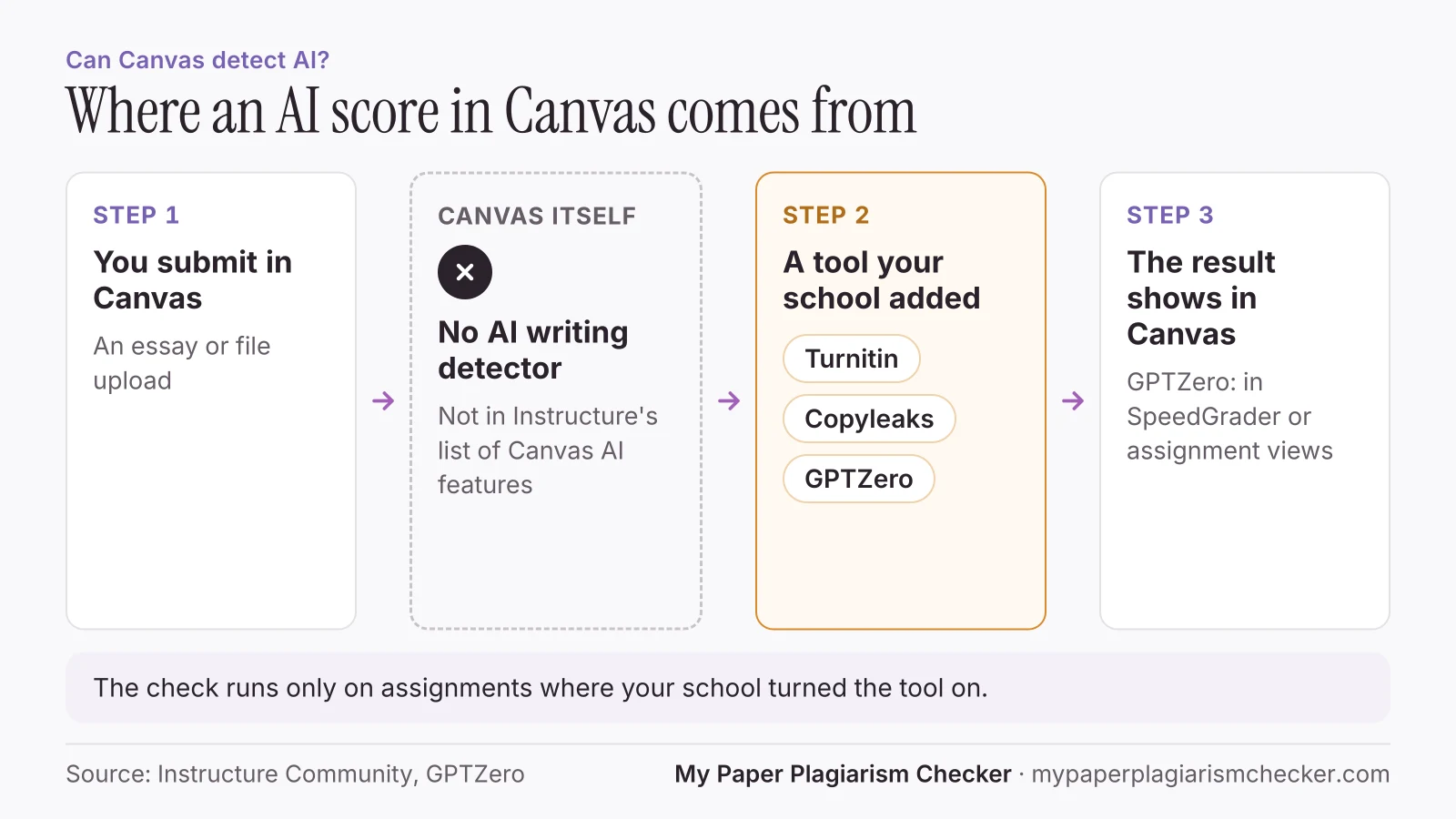
Not by itself. None of the Canvas, Blackboard or Moodle pages we read list a built-in AI writing detector. AI checks come from tools your school adds, such as Turnitin, Copyleaks or GPTZero. This guide shows what each platform says and what a Canvas quiz log records.
Does Canvas have an AI detector?
No. Instructure's list of Canvas AI features has no tool that checks whether writing is AI-generated.
Canvas's AI features are called IgniteAI. Instructure describes them as “a suite of artificial intelligence (AI) features in Canvas designed to enhance the teaching and learning experience.” The list covers an agent for instructors, rubric and quiz question generators, discussion summaries and insights, course search, study tools and translations. Each school also chooses whether to turn them on. Source: What are the available AI features in Canvas?
“Once enabled, student submissions are sent to the selected tool for analysis, such as originality or writing review.” “Currently, Turnitin and Packback are the only supported document processing tools.”
What AI detector does Canvas use?
Whichever one your school connects, on the assignments where it is turned on. Three you may see:
- Turnitin. See can Turnitin detect ChatGPT for what its AI check says it finds, and can students see the Turnitin AI score for who sees the number.
- Copyleaks. Some schools use it in place of Turnitin. See is Copyleaks accurate.
- GPTZero. GPTZero says that with its Canvas integration “every student submission can be scanned for potential AI writing. Results appear directly inside Canvas alongside submissions in SpeedGrader or assignment views.” (GPTZero)
If you are not sure which tool your class uses, ask your instructor or read the assignment instructions.
Does Canvas detect AI in discussion posts?
Only if your school adds a tool that checks discussions. Canvas's IgniteAI Insights for Discussions “helps instructors quickly evaluate the relevance and quality of student replies”. Instructure does not describe it as an AI detector. To check a post before it goes up, use the discussion post plagiarism checker with an AI check.
What a Canvas quiz log shows
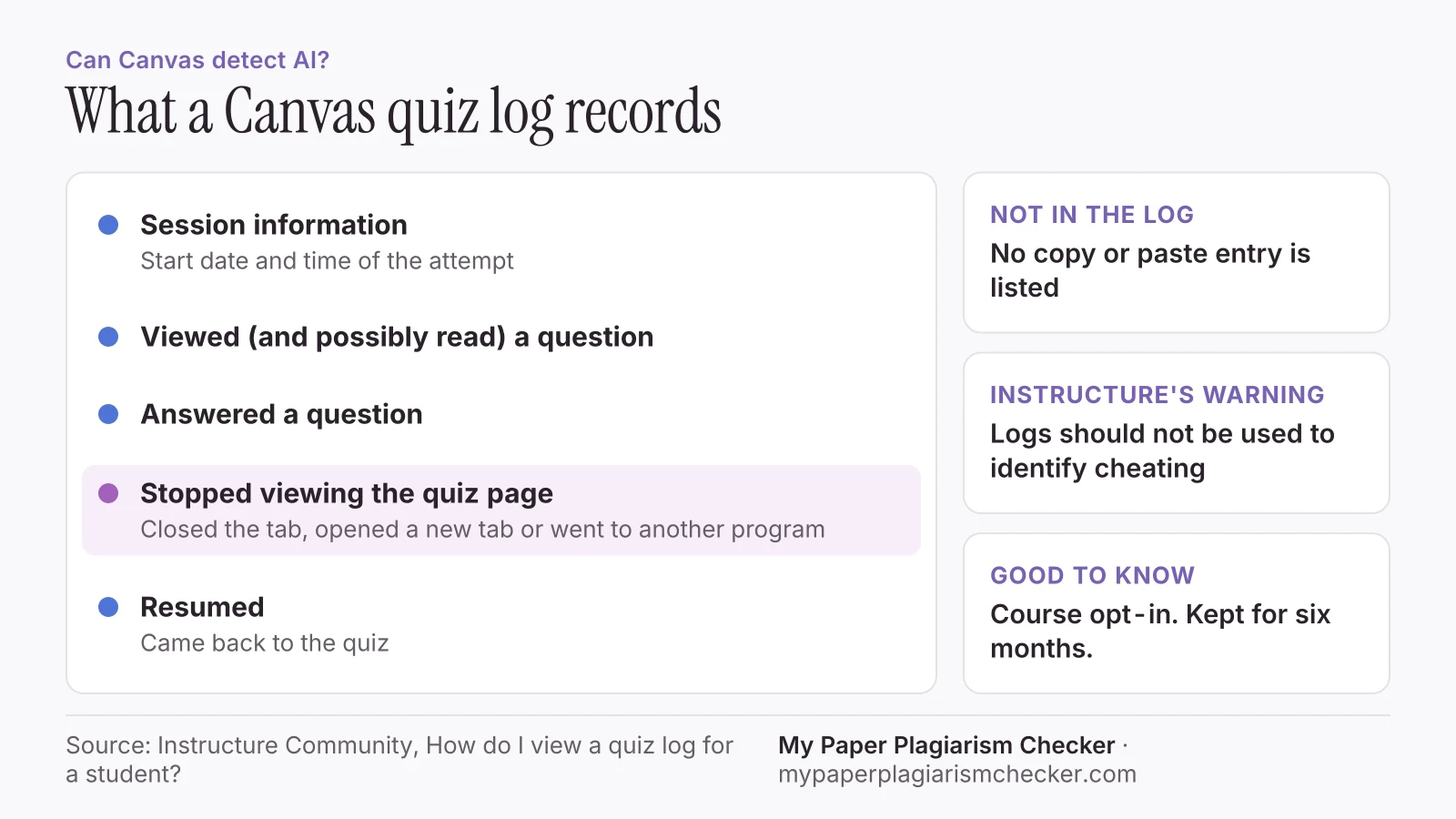
A quiz log lists each action in a quiz attempt with a timestamp, including when a student leaves the quiz page and comes back.
Quiz log auditing is a course opt-in feature, so your instructor may not have it on.
| Log entry | What Instructure says |
|---|---|
| Session information | The session information shows the start date and time for the attempt. |
| Viewed (and possibly read) a question | Shown when a student is active on the quiz page, but has not answered the question. |
| Answered a question | Shown when a student has answered the question.Repeat answers can come from a changed answer or from autosave. |
| Stopped viewing the Canvas quiz-taking page | Shown when a student navigates away from the quiz (closes the browser tab, opens a new browser tab, or navigates to a different program). |
| Resumed | Shown when the student has returned to the quiz. |
Instructure adds two warnings. “Quiz logs should not be used to validate academic integrity or identify occurrences of cheating.” And for some question types, autosave entries “may not reflect the actual sequence of student responses.” Logs are kept for six months. The guide lists no copy or paste entry. Source: How do I view a quiz log for a student?
Does Blackboard detect AI?
Blackboard's student help describes SafeAssign as a text-matching tool and Turnitin as a third-party tool. Neither page describes an AI writing check.
“SafeAssign compares your submitted assignments against a set of academic papers to identify areas of overlap between the submitted assignment and existing works.”
“Turnitin® is a third-party tool that improves your writing by promoting originality and providing rich feedback.”
SafeAssign looks for matching text. An AI check in Blackboard comes from whatever tool your school adds. To see your matches before Blackboard does, run a SafeAssign plagiarism check on your draft.
SafeAssign also lets you add your papers to its Global Reference Database. Anthology says: “When you submit your papers to the database voluntarily, you agree not to delete papers in the future.” Turnitin stores papers in a similar way. See does Turnitin keep your paper.
Can Moodle detect AI?
Through add-ons. Moodle presents AI-text detection as something a certified integration partner provides, and your school chooses which ones to install.
In January 2025, Moodle announced that “Advacheck is now a Certified Integration Partner, making it easier for educators to detect AI-generated texts.” Moodle says the tool “integrates with Moodle to help educators and administrators identify whether submitted content was crafted by humans or generated by AI-based services.” Source: Moodle news.
Checking your work before it goes into Canvas
Run your own check on the text before you submit it.
The AI detector for students highlights the sentences that read as AI-written and gives one score for the paper. No detector result, including ours, proves how a text was written, and each tool uses a different model, so scores will not match. Your paper is never sent to Turnitin or your school, so it can't match itself when you submit it there.
FAQs about AI detection in Canvas
Is there an AI detector on Canvas?
Not one built into Canvas. Instructure's list of Canvas AI features has no writing detector. An AI score in Canvas comes from a tool your school connects, such as Turnitin, Copyleaks or GPTZero, and only on assignments where it is turned on.
What AI detector does Canvas use?
Whichever one your school has added, such as Turnitin, Copyleaks or GPTZero. Canvas does not come with one. Ask your instructor or read the assignment instructions.
Can Canvas detect copy and paste?
Not in the quiz log guide we read. Instructure lists four quiz log statuses: viewed a question, answered a question, stopped viewing the quiz page and resumed. None of them is copy or paste.
Does Canvas detect if you switch tabs during a quiz?
The quiz log can. When quiz log auditing is on, Canvas records "Stopped viewing the Canvas quiz-taking page" when a student closes the tab, opens a new tab or moves to another program, and "Resumed" when they return. Instructure says the log should not be used to identify cheating.
Does Blackboard detect AI?
Anthology's student help describes SafeAssign as a text-matching tool and Turnitin as a third-party tool. Neither page describes an AI writing check. Any AI check in Blackboard comes from a tool your school adds.
Can Moodle detect AI?
Through add-ons. Moodle's own site announced Advacheck, an AI-text detector, as a Certified Integration Partner. Your school decides which plugins it installs.
Sources
- Instructure Community: What are the available AI features in Canvas?
- Instructure Community: How do I view a quiz log for a student?
- Instructure Community: How do I create an assignment using the document processor as an instructor?
- GPTZero: Canvas integration
- Anthology Blackboard help: SafeAssign
- Anthology Blackboard help: Turnitin
- Moodle: Check for similarities and detect AI-generated text with Moodle Certified Integration Advacheck
Pages read 14 November 2026
Check your paper before you hand it in
Free up to 3,000 words. No card needed.